How to Find and Use Your Membership Discount Code?
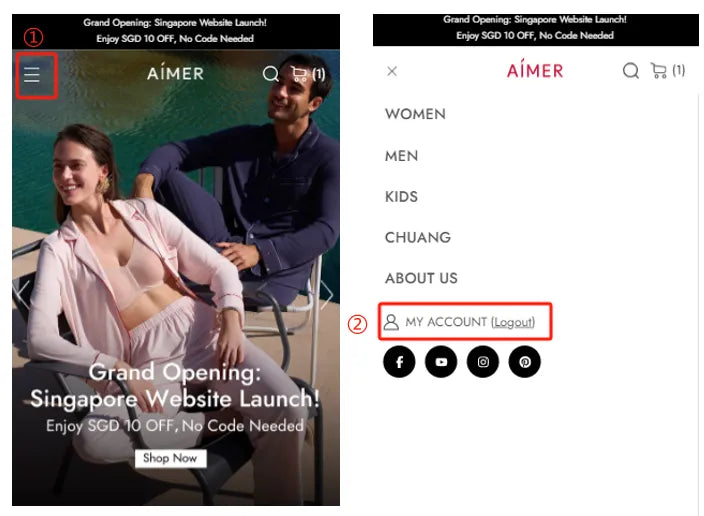
STEP 1: Return To My Account
Look for the "My Account" option in the menu or navigation bar. Click on "My Account" to go back to your account page.

STEP 2: Viewing Your Membership Information and Discount Coupon Codes
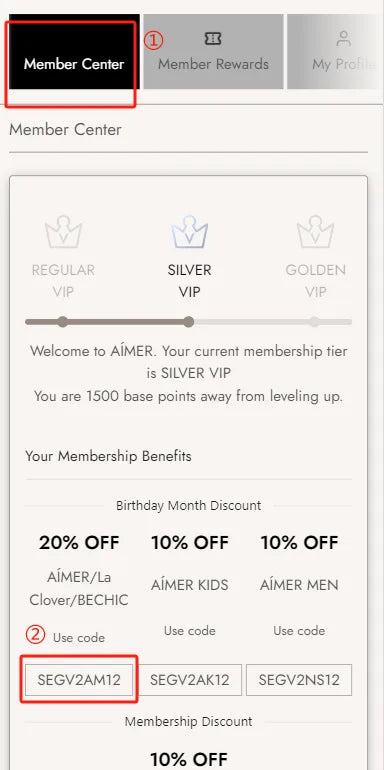
On the Member Center page, you can see your membership level, birthday discount code, membership level discount code, and your personal information. Click on the birthday discount codes or the membership discount code to copy it.

STEP 3: Apply Your Membership Discount Code
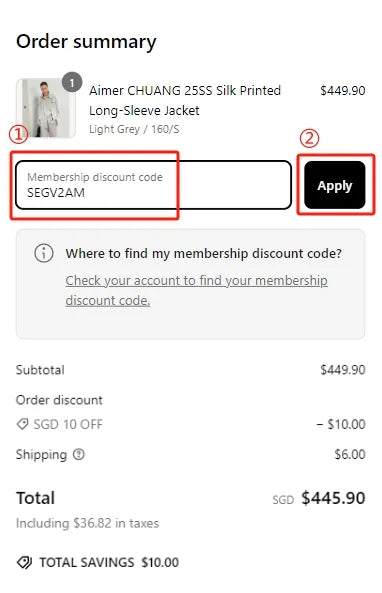
On the checkout page, look for the input box labeled "Membership Discount Code." Paste the discount code you copied earlier into this box and click "Apply" to use the code.

STEP 4: Code Successfully Applied
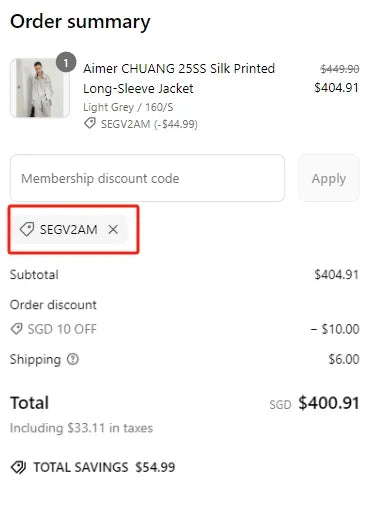
Once the code is successfully applied, you will see a label showing the code. And the system will automatically calculate the discount and display the new discounted price.